
HOW LEADFINDER WORKS
A few clear steps. A focused prospect list.
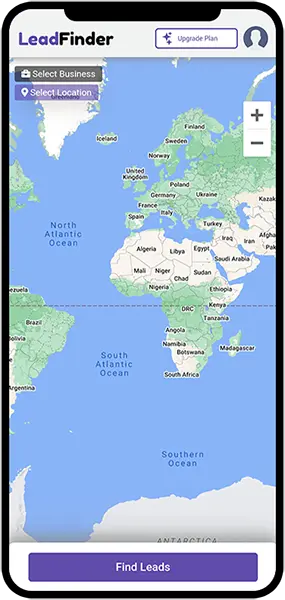
Bring a business category and an area you want to explore. Use LeadFinder to discover prospects, then apply your own research to find the right fit.
Get the app
- 01
Choose your business
Start with the category of business you want to reach.
- 02
Set your location
Pick an area and adjust the radius around your search.
- 03
Review your prospects
Explore matching businesses and their available contact details.
- 04
Take the next step
Download your list, research the fit, and plan your follow-up.
A RESEARCH EXAMPLE
A supplier looking for gyms in Toronto.
Choose gyms as the business category, select the area you serve, and set a practical radius. Review the resulting businesses, visit their websites, and keep the ones that fit your offer.
This example illustrates a workflow. It is not a live search or a promise of result counts.
Read the step-by-step guide
What should I search for first?
Choose the business category that best describes your potential customer and an area you can serve. Start with one specific combination and review the results before expanding.
How should I choose a radius?
Use your service area as a starting point. Review the results and adjust the radius as needed. A wider search does not automatically mean more relevant prospects.
What do I do with the results?
Check the available details, research the business websites and create a shortlist. Download the results and add your own notes before planning follow-up.
Do you guarantee leads or sales?
LeadFinder helps discover business prospects and available contact details. A listing does not establish buying intent, and sales outcomes depend on fit, your offer and subsequent conversations.